.png)
2026-07-30 Release Notes
OnTarget Desktop Application
1. Include Company Leave Information on Paychecks
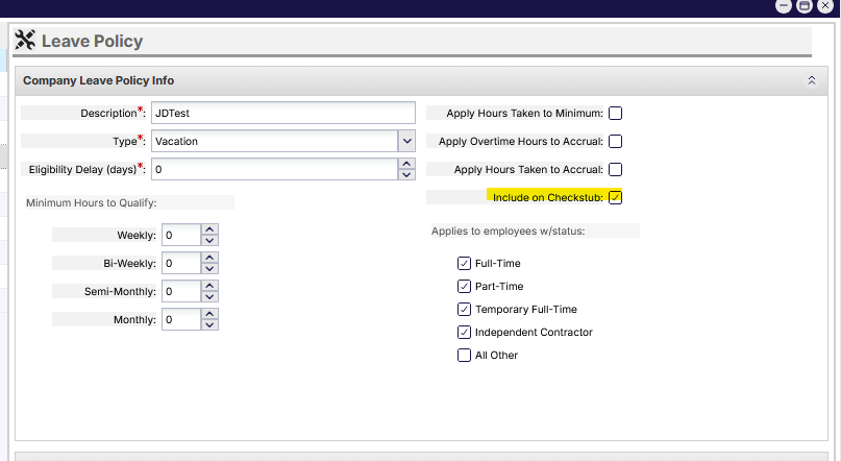
Organizations can now control whether individual company leave policies are displayed on employee check stubs. A new "Include on Check Stub" setting has been added to leave policy configuration, allowing administrators to determine which leave balances and accrual information should be included in payroll documents. Existing leave policies have been updated to support this setting, and both check preview and generated check stubs now respect the configured visibility preference, providing greater flexibility in how leave information is presented to employees.
2. Include a 1099 Type Selection for Vendor Records
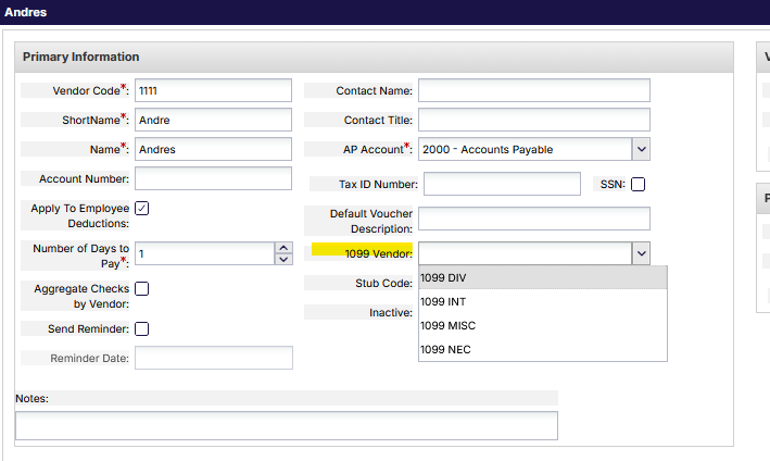
A new 1099 Vendor designation has been added to the vendor profile configuration, allowing organizations to clearly identify vendors who require 1099 tax reporting. This enhancement provides a dedicated field within the vendor record to support more accurate vendor classification and helps streamline payroll and accounting processes related to year-end tax reporting requirements.
The new field utilizes a drop-down selection list in which the following options are available.
1. 1099 DIV
2. 1099 INT
3. 1099 MISC
4. 1099 NEC
3. Monthly Recurrence Scheduling
Scheduling recurrence options have been enhanced to allow users to create recurring schedules based on a specific day of the month. This provides greater flexibility when scheduling services that occur on predictable monthly dates, reducing the need for manual schedule creation and helping organizations more efficiently manage recurring service delivery patterns.
Utilizing the Recurrence Pattern option for recurring schedules include a Month(s) selection.
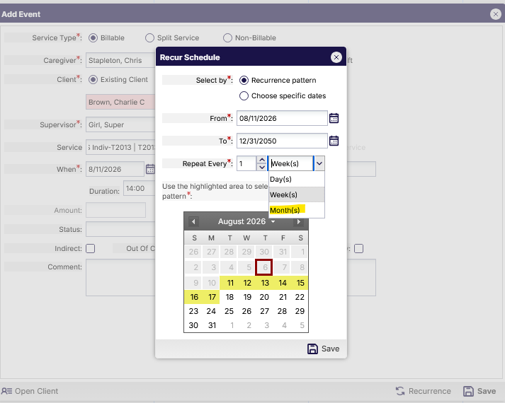
Choosing to select the Month(s) option allows the selection of a recurrence pattern for
selected date patterns.
4. Overnight Recurrence Scheduling
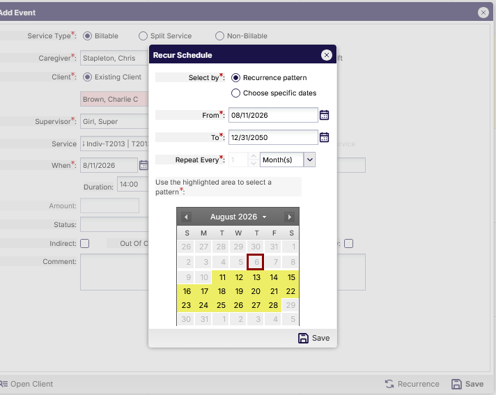
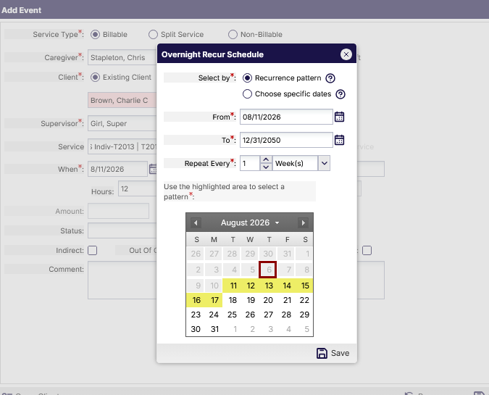
Scheduling has been enhanced to support recurring overnight shifts, allowing organizations to more efficiently create and manage schedules that span across multiple calendar days. New recurrence options support both pattern-based scheduling and the selection of specific dates. To improve usability, the overnight recurrence interface now includes updated window titles and contextual tool tips, including guidance that clearly identifies that users should select the first date the overnight shift begins and the last date the overnight shift begins when defining a recurrence range. Additional safeguards prevent the creation of overnight schedules that exceed authorization limits, and improvements to validation and system logging help ensure a more reliable scheduling experience.
The recurrence schedule window has been updated to ensure users easily identify the creation of an overnight recurrence schedule.
5. Bulk Edit / Delete Overnight Schedules
The Bulk Edit scheduling functionality has been enhanced to support overnight schedules, making it easier for administrators to identify and remove large groups of overnight shifts when schedule changes are required. Users can search for overnight schedules using overnight-specific filtering options, review matching results, and perform bulk deletion actions directly from the search results. To help prevent unintended updates, the system provides validation checks and warning messages when deleting overnight schedules, ensuring users have visibility into the impact of the requested changes before the deletion is completed.
Please Note: Utilizing the functionality to Bulk Edit / Delete Overnight shifts requires the creation of one or more overnight shifts that entered within a single scheduled event.
The search functionality for Bulk Edit Schedules is retained but now offers the option to enable a checkbox to search for overnight shifts only. Standard non-overnight shifts are not mixed with an overnight shift search and overnight shift search are not mixed with standard non-overnight shifts.
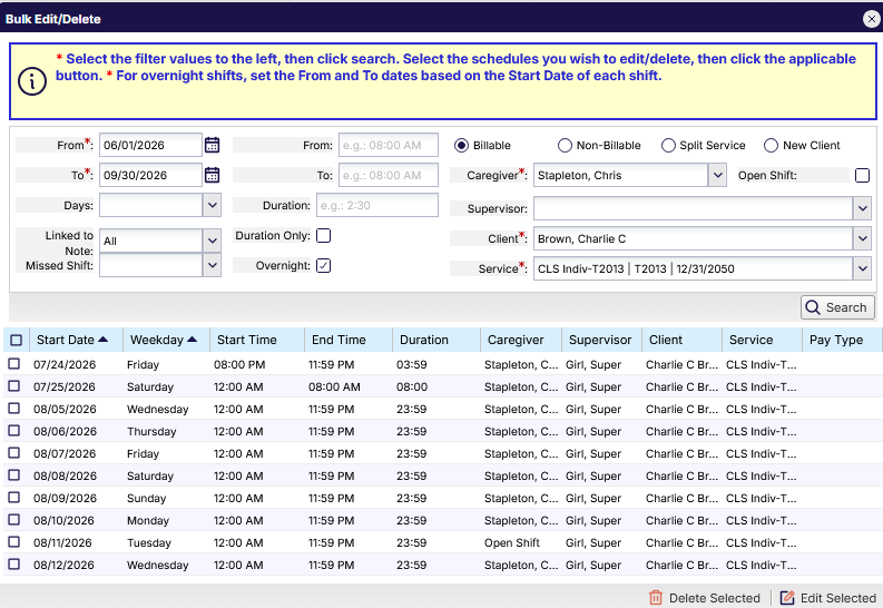
In some cases, overnight shifts may be associated with a service in which a clock in and clock out is required. This enables end-user’s functionality that automatically clocks the user out for the before midnight shift and automatically clocks the user in for the after midnight shift. Selecting overnight schedules to delete or edit the times may result in severing the link between the shift(s) disabling the automatic clock out and clock in functionality. OnTarget determines when overnight shift links may be broken and provides users with awareness before finalizing the decision to make the change to the selected overnight shifts.
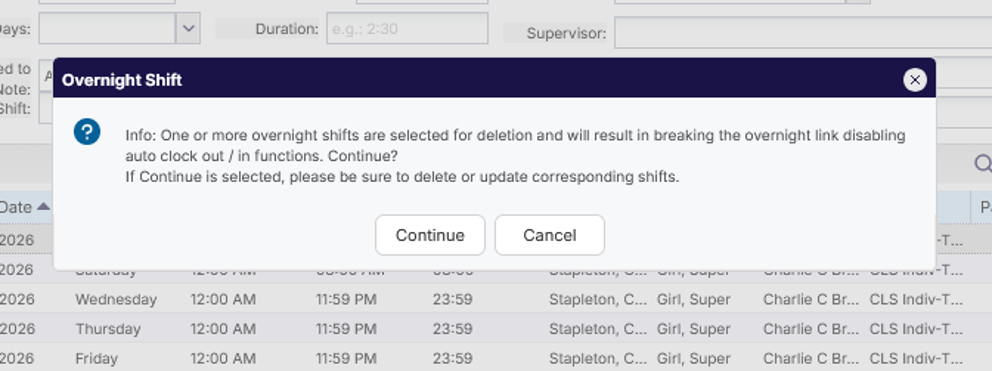
The selection to delete overnight shifts that are linked to other corresponding shifts results in a notification to notify the user to provide an option to cancel or continue the process.
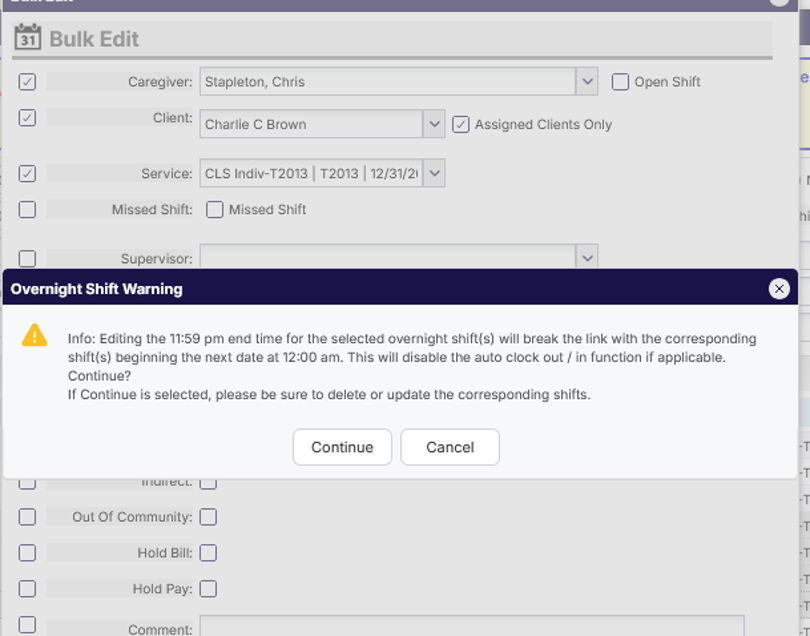
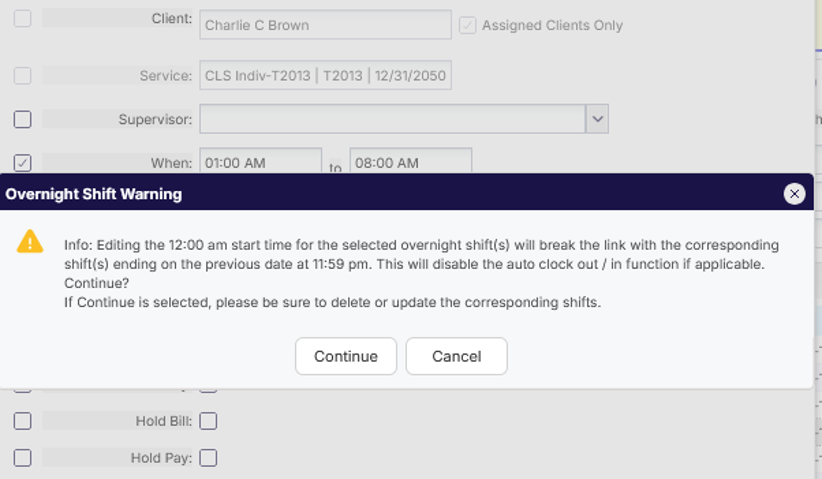
A similar warning message also provided to the user when attempting to edit an overnight shift time would result in breaking the link with the corresponding shift(s). Unique messages are available depending on the way time is edited for the selected shift(s).
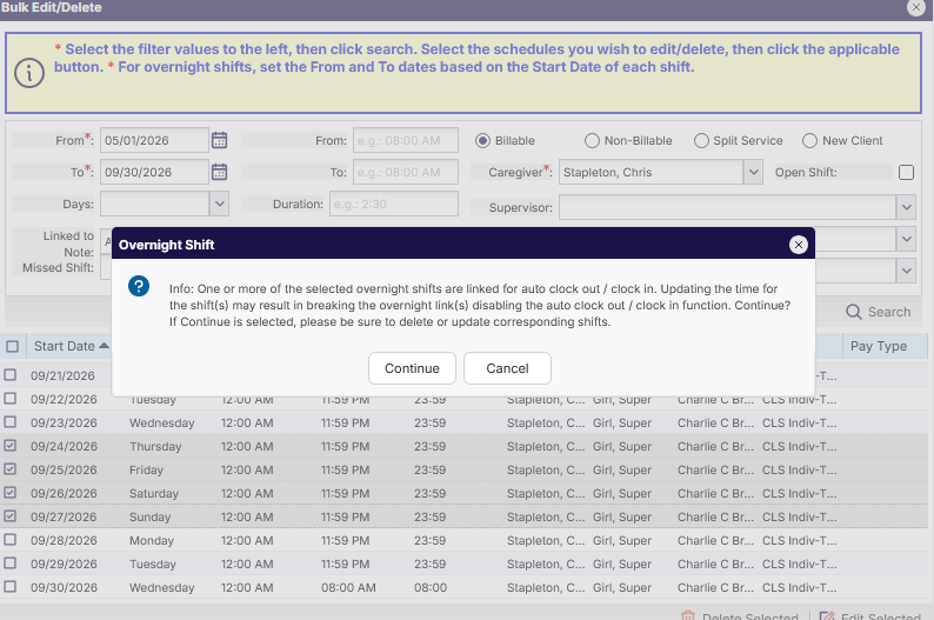
Changing the end time for a shift that occurs before midnight ensures the user is aware of the potential result.
Likewise, Changing the start time for a shift that begins at midnight ensures the user is aware of the potential result.
Please Note: OnTarget does not prohibit users from deleting or editing overnight shifts but rather ensure the user is aware of the expected results.