.png)
2026-10-16 Desktop Release Notes
OnTarget Desktop Application
1. Client Admission Reason Configuration Enhancement
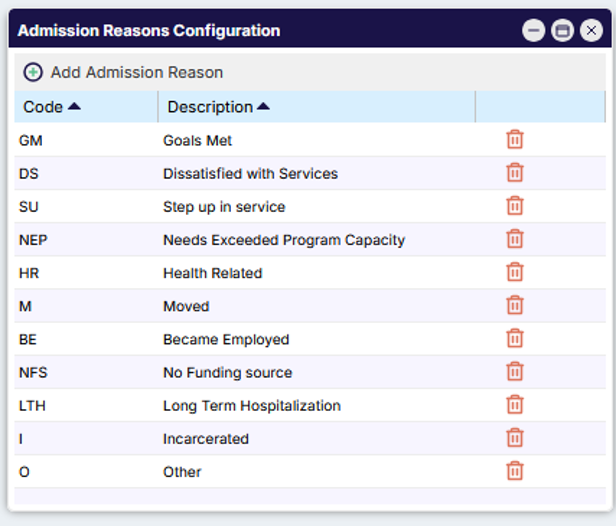
To provide greater flexibility in managing client admission data, OnTarget has introduced a new Admission Reason configuration. This enhancement allows organizations to create and maintain their own standardized list of Admission Reasons, promoting greater consistency and accuracy during the client admission process.
Within List Configuration > Clients, users can access the Admission Reason configuration to define and maintain custom Admission Reason codes and descriptions for use during client admissions.
Please Note: The existing standard Admission Reasons have been automatically populated within the configuration to support a seamless transition and minimize setup effort.
2. Enhanced Search Window Configuration for Historical Data Access
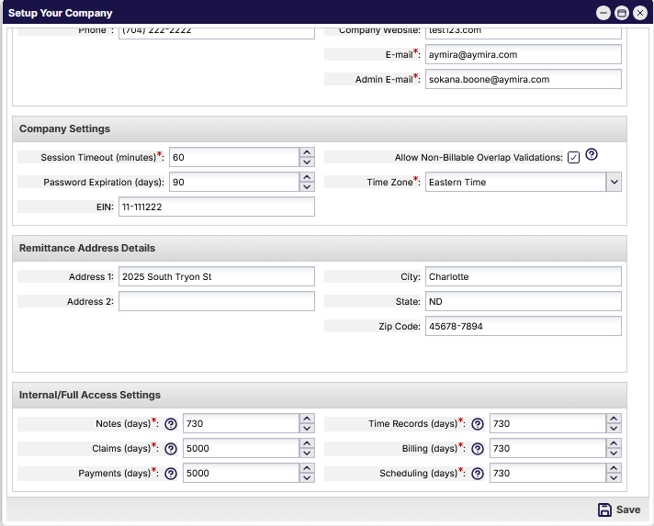
This enhancement introduces a new Internal/Full Access Settings section that allows authorized OnTarget personnel to temporarily expand search result windows beyond the standard 730-day limit for key areas of the system, including Notes, Claims, Payments, Time Records, Billing, and Scheduling.
The configuration can be accessed from List Configuration > Global > Edit Company Info by users with the appropriate security permissions. Previously, these changes required direct database updates by Support and Engineering teams.
With this update, internal users can securely adjust search window values through a configurable setting, providing faster access to historical data when needed while reducing operational overhead. To protect system performance, all modified search window settings automatically reset to the default 730-day limit at the end of each day, ensuring expanded search ranges remain temporary and controlled.
3. Enhanced CPT/HCPCS Code Management for Surgical Procedures
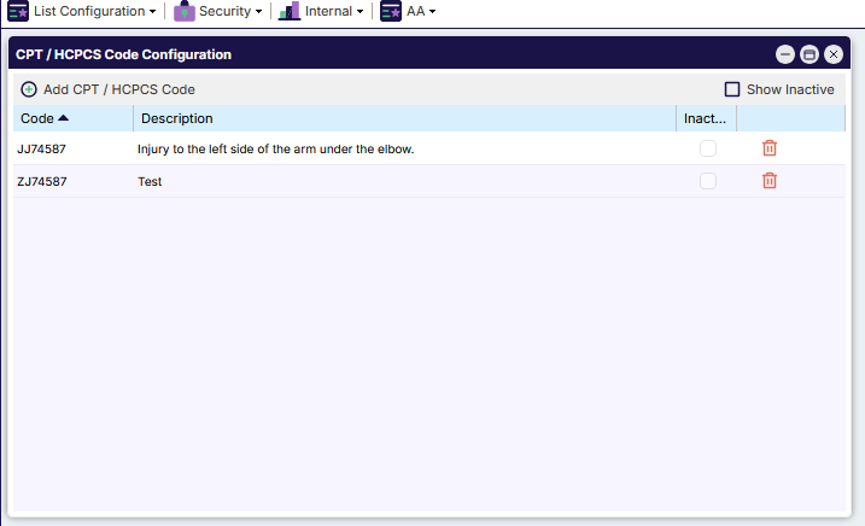
OnTarget has introduced a new CPT/HCPCS Code Configuration to support the management and standardization of procedure codes used throughout the application. Authorized users can now maintain CPT/HCPCS codes and descriptions through a dedicated configuration within List Configuration > Clients, including the ability to create, edit, inactivate, and delete code records. The configuration includes sorting capabilities, inactive record filtering, duplicate code prevention, and validation to prevent deletion of codes that are currently in use.
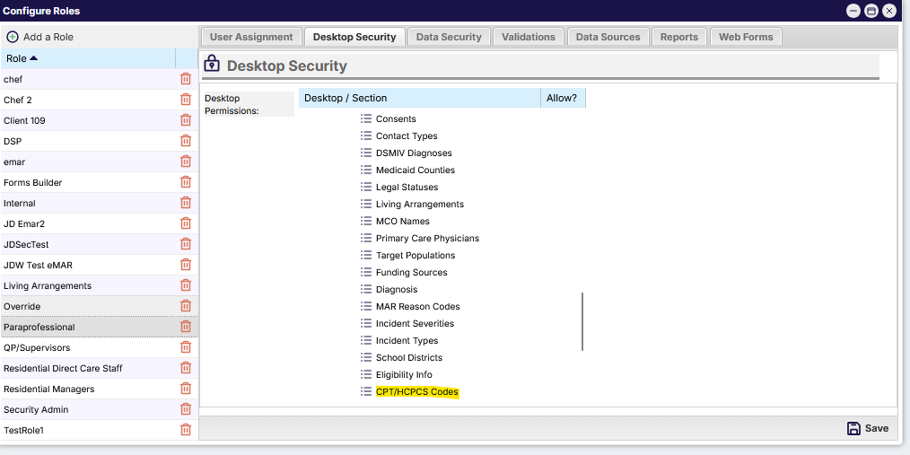
Access to this configuration is controlled through desktop role security, ensuring only designated users can manage CPT/HCPCS reference data.
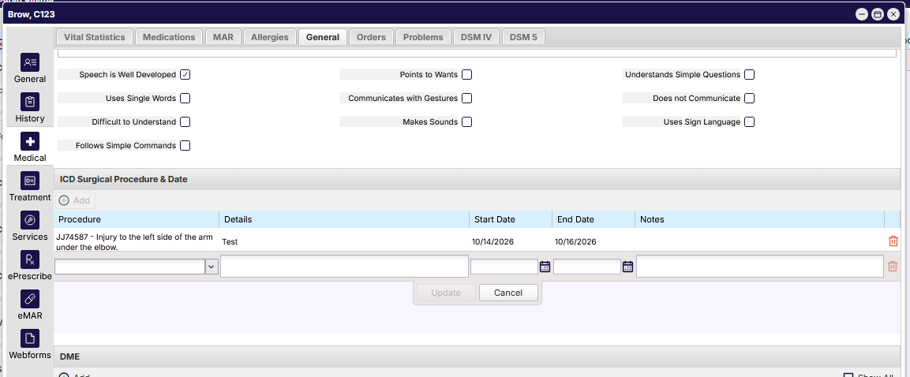
In addition, the ICD Surgical Procedure entry process within Client > Medical > General has been enhanced to utilize the CPT/HCPCS reference list as the source for Procedure selections. Users can select procedures from a searchable drop-down that displays values in a Code – Description format and supports searching by either code or description. These updates improve data consistency, reduce manual entry, and promote standardized CPT/HCPCS code usage across client records.
4. New Living Arrangement Tracking for Client Records
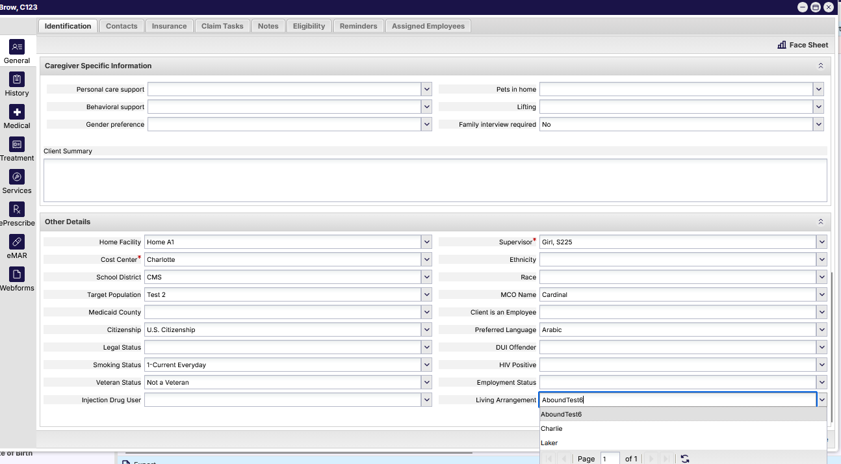
OnTarget now supports the capture of a client's Living Arrangement through a new configurable field located within Client > Identification > Other Information. The Living Arrangement field is presented as a drop-down list, allowing organizations to select from standardized values rather than relying on free-text entry. This helps improve data consistency, supports reporting needs, and enables organizations to maintain terminology that aligns with their operational requirements.
To provide flexibility, a new Living Arrangements List Configuration has been added under Configure > List Configuration > Clients. Authorized users can create, edit, and delete Living Arrangement values, with safeguards in place to prevent the removal of values that are currently associated with client records. Configuration values are displayed alphabetically and can be maintained directly within the application, allowing organizations to adapt the available options as business needs evolve.
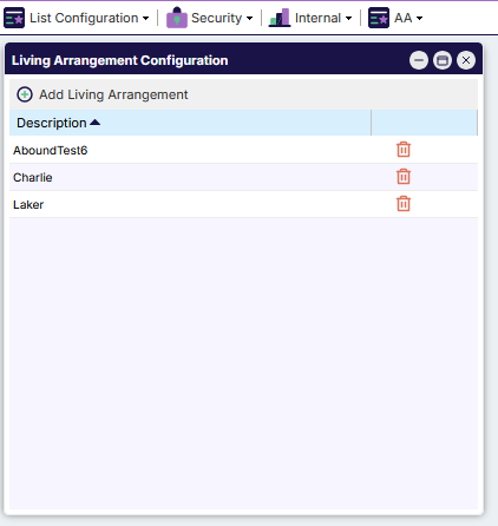
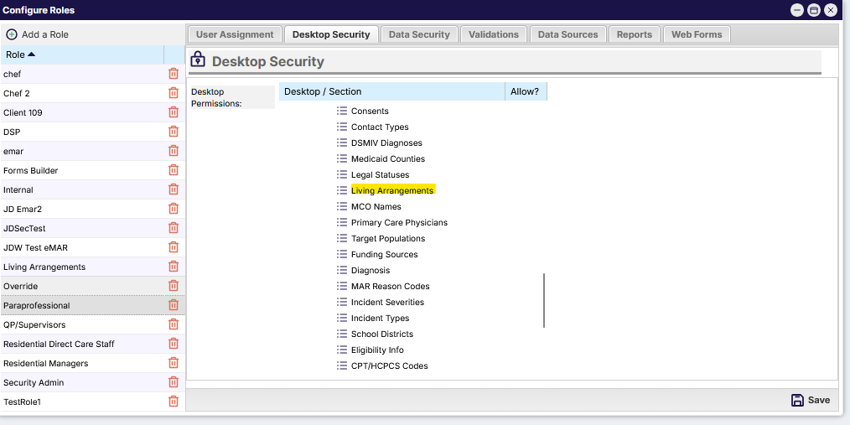
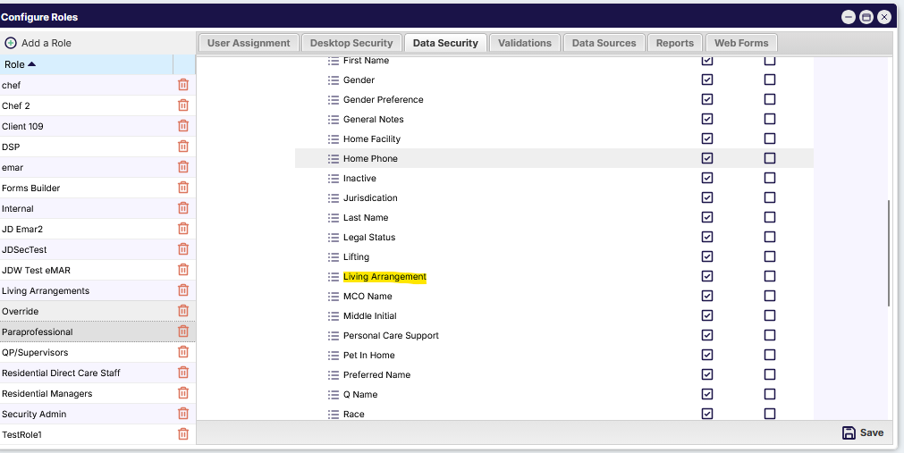
This enhancement also introduces new Desktop Security and Data Security controls to manage access. Desktop Security determines which users can access and maintain the Living Arrangements configuration, while Data Security controls whether users can view, edit, or are denied access to the Living Arrangement field within individual client records. These security settings allow organizations to appropriately manage access to both the configurable values and client-specific information while maintaining data integrity and consistency across the system.